


Why build a dedicated error.zakk.au?#
When Cloudflare shows a default error page, the experience feels disconnected from the rest of the brand. I wanted a lightweight replacement that:
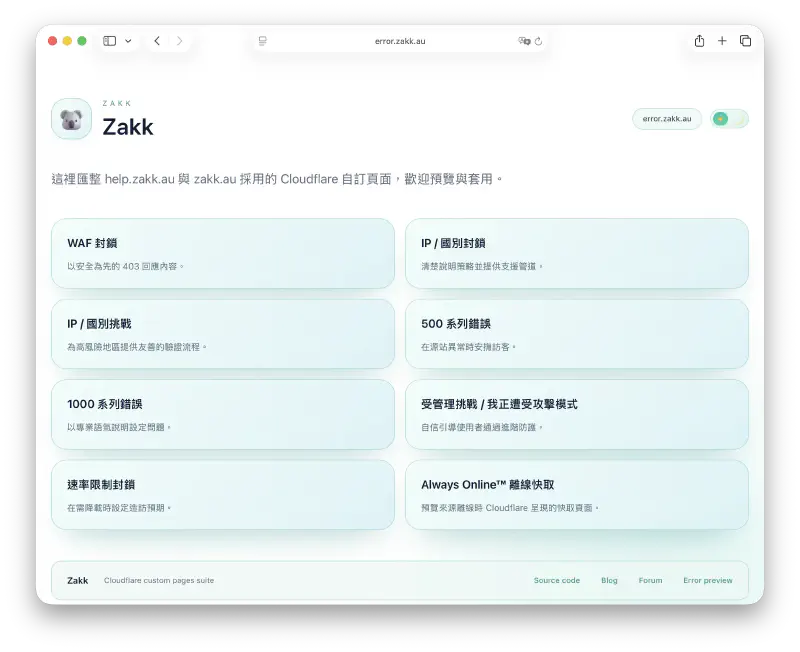
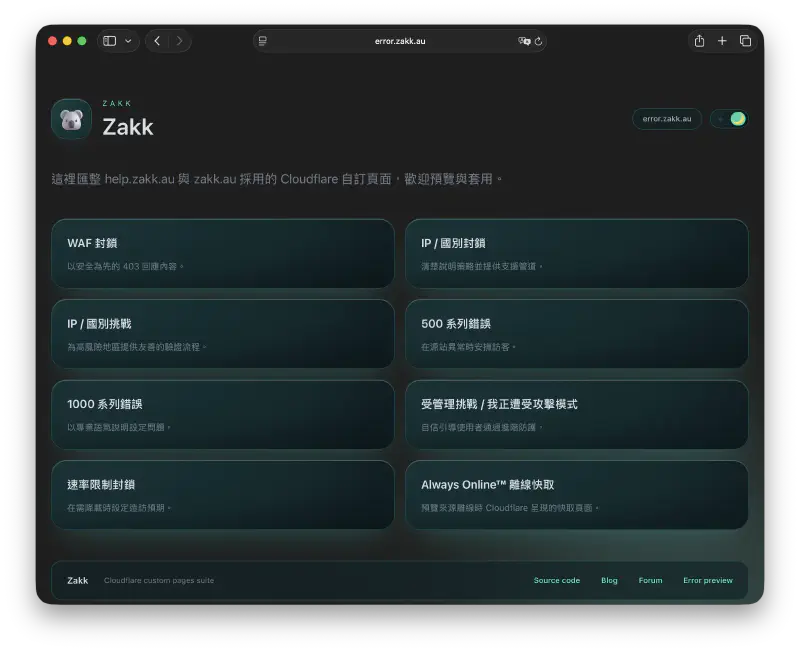
- Auto-detects dark/light preference and lets visitors switch themes manually
- Detects language preferences automatically (English, Traditional Chinese, Simplified Chinese)
- Surfaces contextual help, including the Ray ID and a pre-filled support email link
- Runs entirely on Cloudflare Pages, so updates ship with a single git push
That led to the Zakkaus/cf-pages project and the live deployment at error.zakk.au.
Interface highlights#
 |  |
|---|---|
| The light palette keeps typography airy and pairs the language/theme switches side by side for quick scanning. | Dark mode leans on the brand-blue accents while keeping contrast ratios in the safe zone. |
 |  |
|---|---|
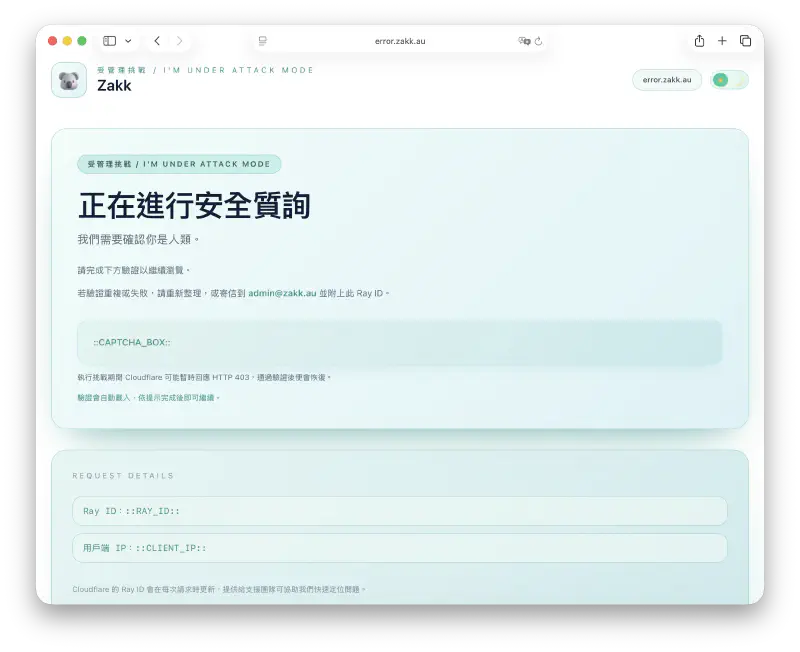
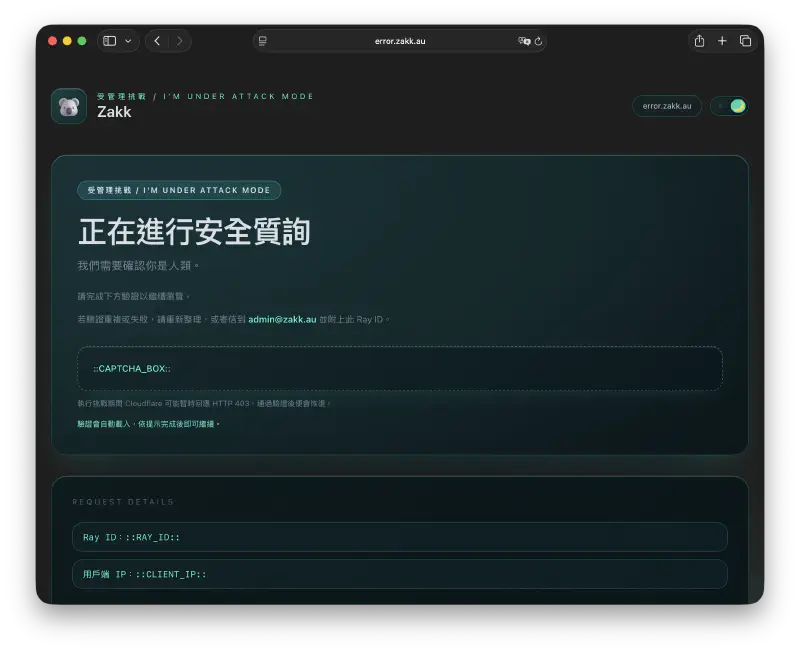
| The challenge template walks visitors step by step through verification with contextual help links. | The dark counterpart preserves hierarchy, so CTAs and guidance stay obvious when night mode kicks in. |
What ships with the repository?#
The repo bundles the full catalogue of Cloudflare error templates, each rewritten with a clean card layout and Tailwind CSS styling:
| Template | Scenario |
|---|---|
cf-1000.html | Configuration errors across Cloudflare edge services |
cf-500.html | Generic 5xx origin failures |
cf-waf-block.html | Web Application Firewall blocks |
cf-ip-block.html | IP or country blocks |
cf-ip-challenge.html & cf-attack.html | Managed challenge / "I'm Under Attack" flows |
cf-rate-limit.html | 429 rate limiting responses |
offline.html | Always Online™ fallback |
Every page injects brand visuals (logo, koala 3D hero), the current Ray ID, and a single CTA leading to self-serve troubleshooting. The compact card layout keeps critical guidance above the fold regardless of viewport size.
Multilingual copy and automatic detection#
All strings live in lang.js. The helper picks the correct locale by:
- Reading
navigator.language - Matching it against
en,zh-Hant, orzh-Hans - Falling back gracefully if a language is missing
Once the page loads, visitors can still toggle languages manually—the state sticks thanks to localStorage.
Design system & theming#
- Tailwind CSS pipeline: Author classes in
input.css, build a minifiedoutput.cssvianpm run build(orpnpm run build) with PurgeCSS trimming unused utilities for faster loads. - Day/night parity: Screenshots (
assets/screenshots/*.webp) capture both light and dark variants to ensure contrast passes WCAG. - Shared components: Buttons, alerts, and layout primitives map closely to the Blowfish theme I run on this blog, so switching contexts feels seamless.
- Brand system carryover: Illustration tone, gradient tokens, and CTA colors stay in sync with the rest of the zakk.au ecosystem.
Deployment on Cloudflare Pages#
- Connect the repository to Pages and keep the build command as
npm run build. - Use the
Noneframework preset; Pages will compile Tailwind before publishing. - Serve the root directory—each HTML template sits at the project root for direct mapping inside the Cloudflare dashboard.
- Map the Pages project to Custom Error Pages → error.zakk.au and optionally reuse the set for help portals.
Because Pages caches builds per commit, I can preview updates safely before flipping the toggle in the Cloudflare dashboard.
Troubleshooting flow with Ray IDs#
At the bottom of every template is a "Need help?" block that:
- Shows the Ray ID that triggered the error in real time
- Links visitors to a pre-filled email (
support@zakk.au) with the Ray ID, timestamp, and the client's IP (once Cloudflare injects it) - Offers a secondary link to the status page when the issue is clearly on my side
This dramatically reduces back-and-forth; I receive every diagnostic detail in the first message.
Try it yourself#
- Explore the code & screenshots:
Zakkaus/cf-pageson GitHub - Trigger a sample page (e.g. the offline notice) via error.zakk.au/offline.html
- Want to skin it for your brand? Swap the assets in the repo, adjust copy in
lang.js, and redeploy to your own Pages project.
Building this catalogue turned "random Cloudflare error" moments into an opportunity to reassure visitors, stay multilingual, and capture context when it matters most.